(This article applies to Vigor3900 and Vigor2960, for other models, refer to the article here)
Configuring the Vigor3900
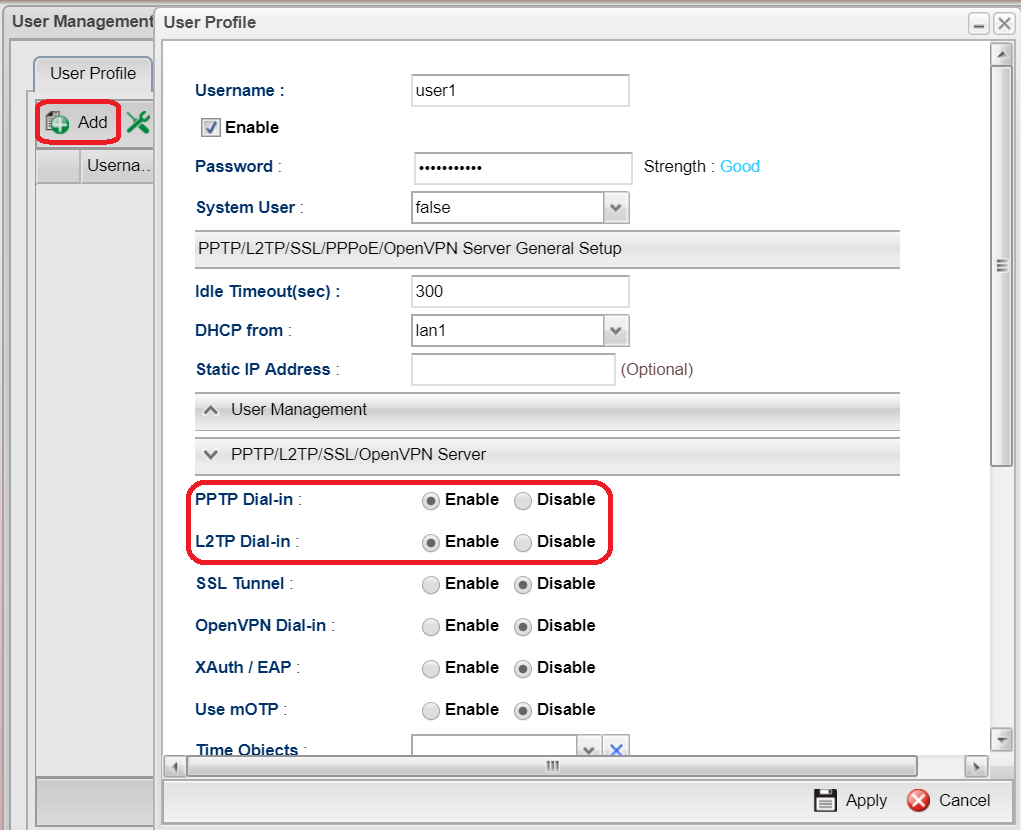
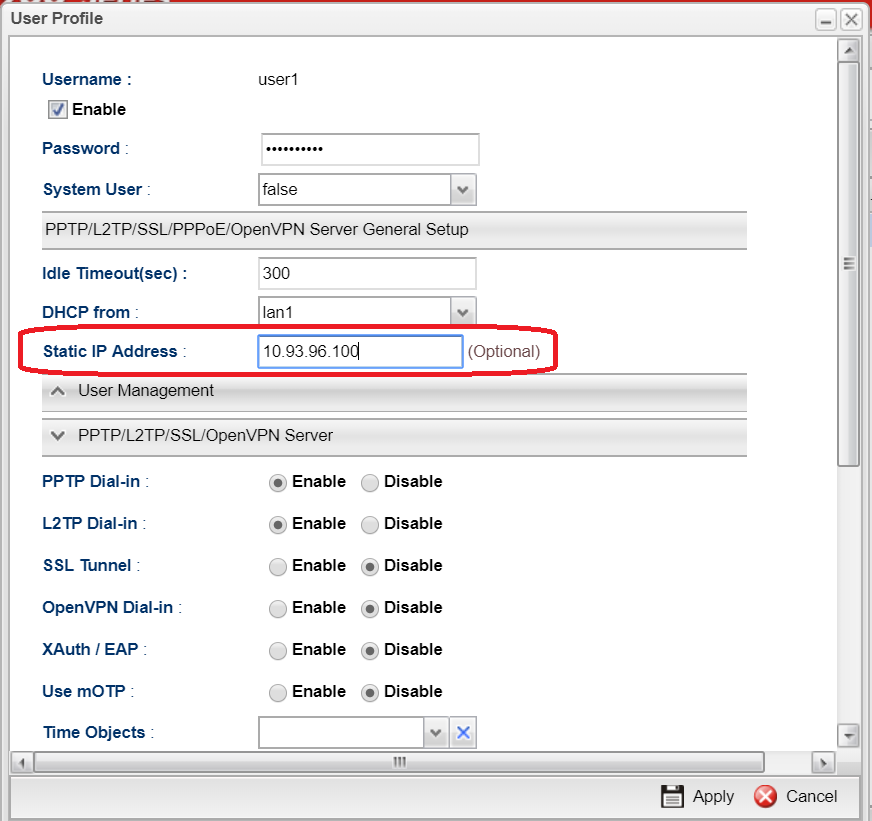
1. Navigate to User Management >> User Profile, click Add to add a new profile,
2. Configure the following settings:
Enable the profile.
Type Username and Password.
Enable PPTP and L2TP.
Then click Apply to save the User profile.
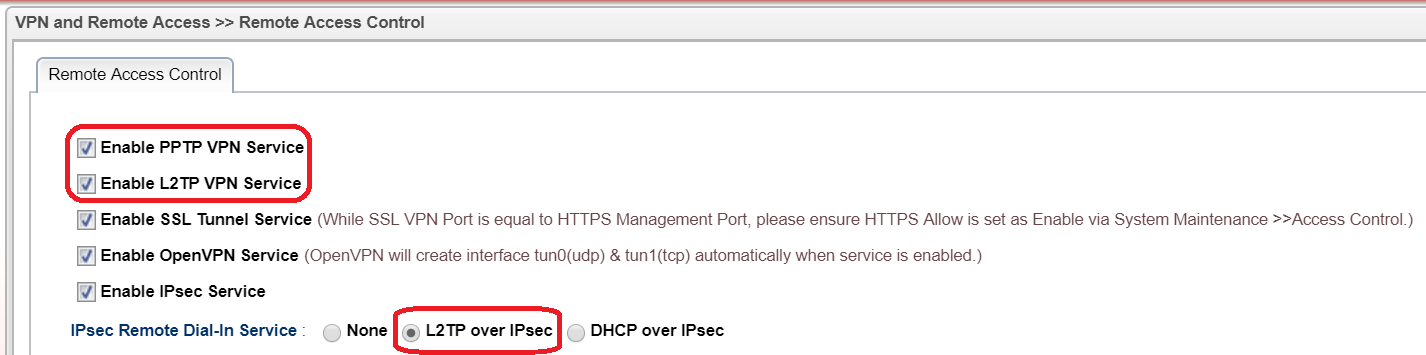
3. Go to VPN>>Remote Access Control and enable PPTP, L2TP and select L2TP over IPsec for IPsec Remote Dial-in Service
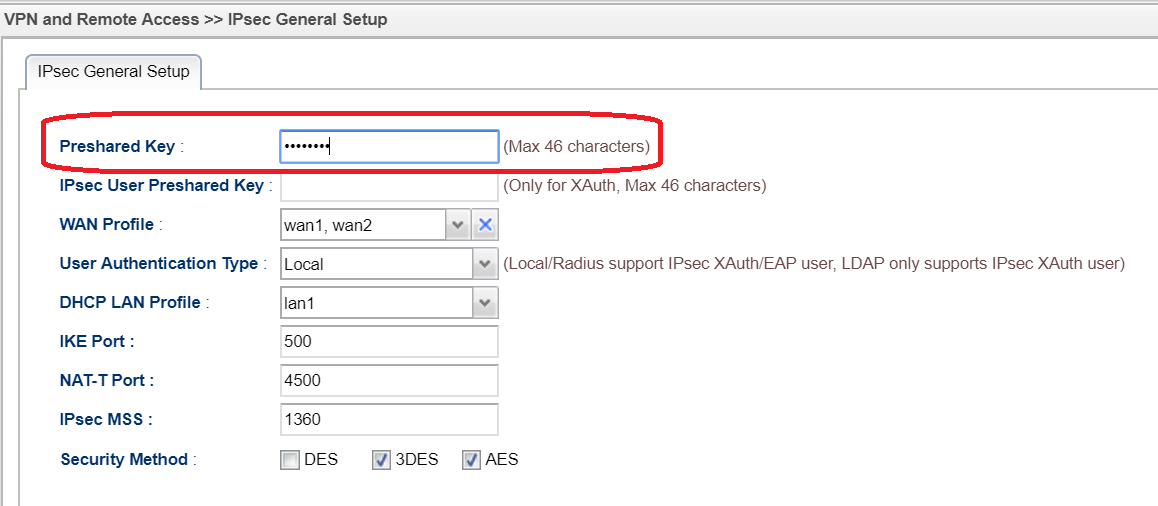
4. Go to VPN>>IPsec General Setup and enter Preshared Key for L2TP over IPsec
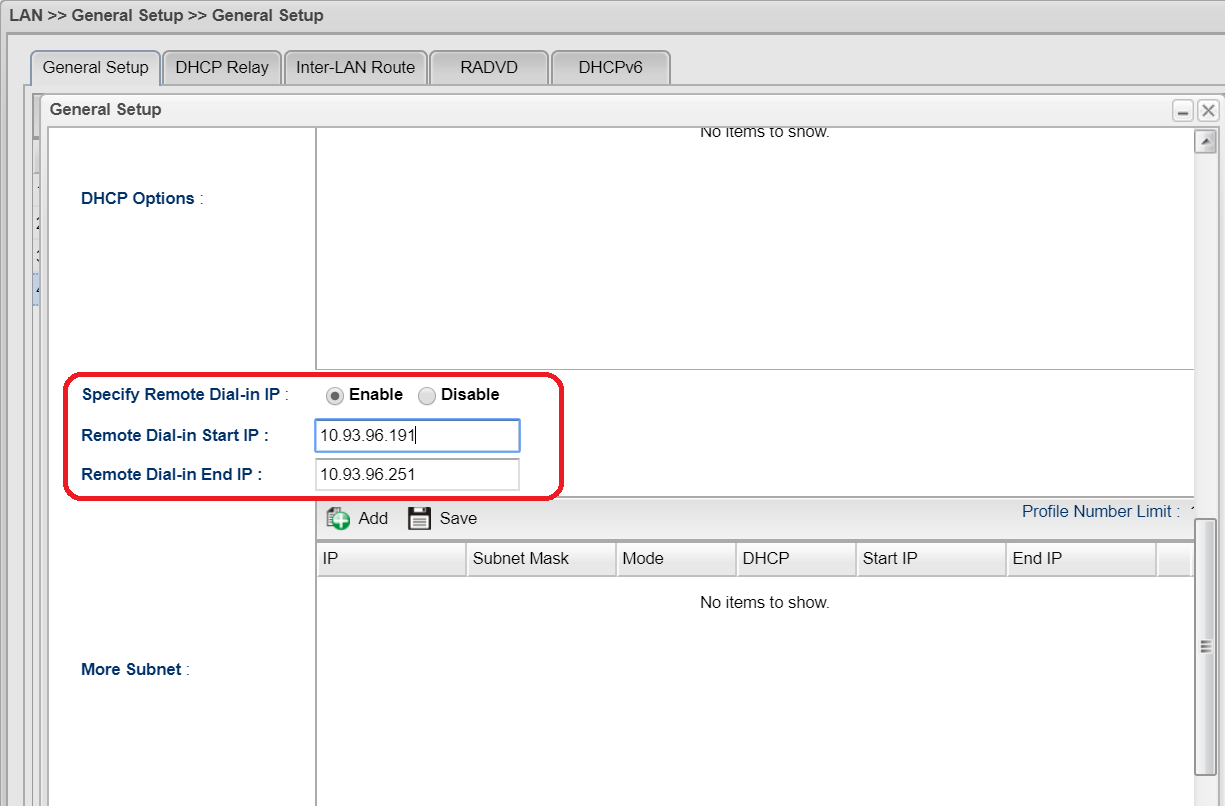
4. If the DHCP server on Vigor3900 is disabled, you must enable Specify Remote Dial In IP in the LAN>> General Setup >> DHCP Tab.
5. Or set Static IP Address in the User Profile. Otherwise, PPTP/ L2TP VPN cannot be created successfully.
Configuring Smart VPN Client for PPTP VPN
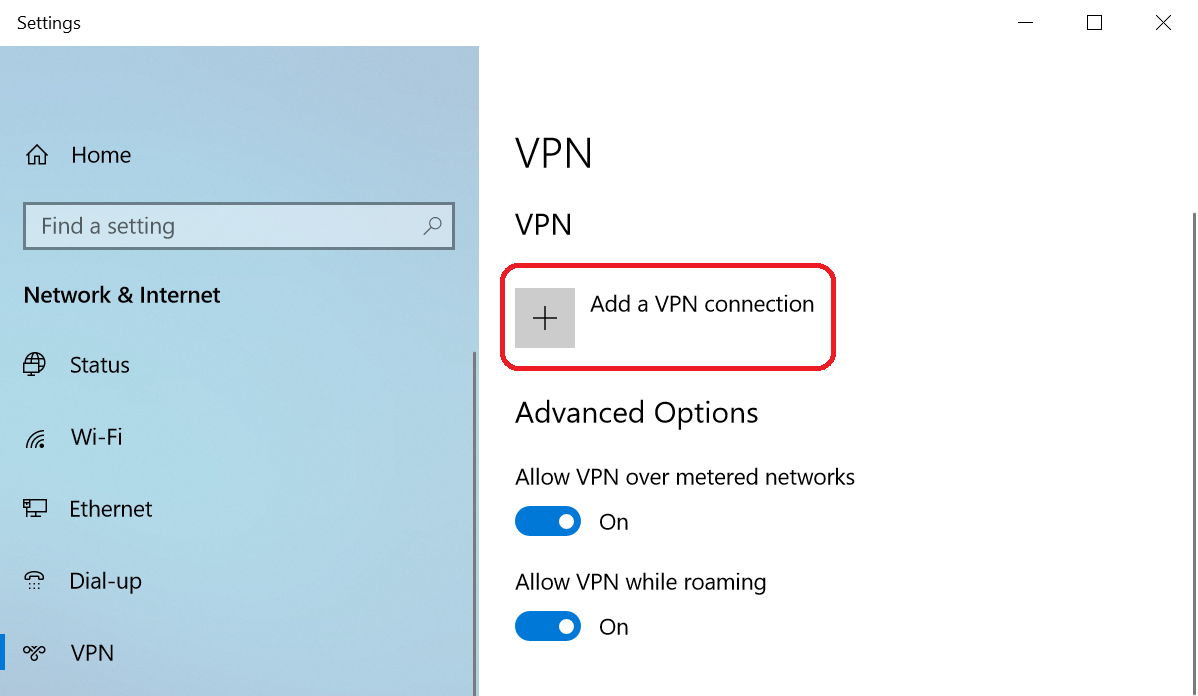
1. Go to Network & Internet Setting>>VPN and Add a VPN connection
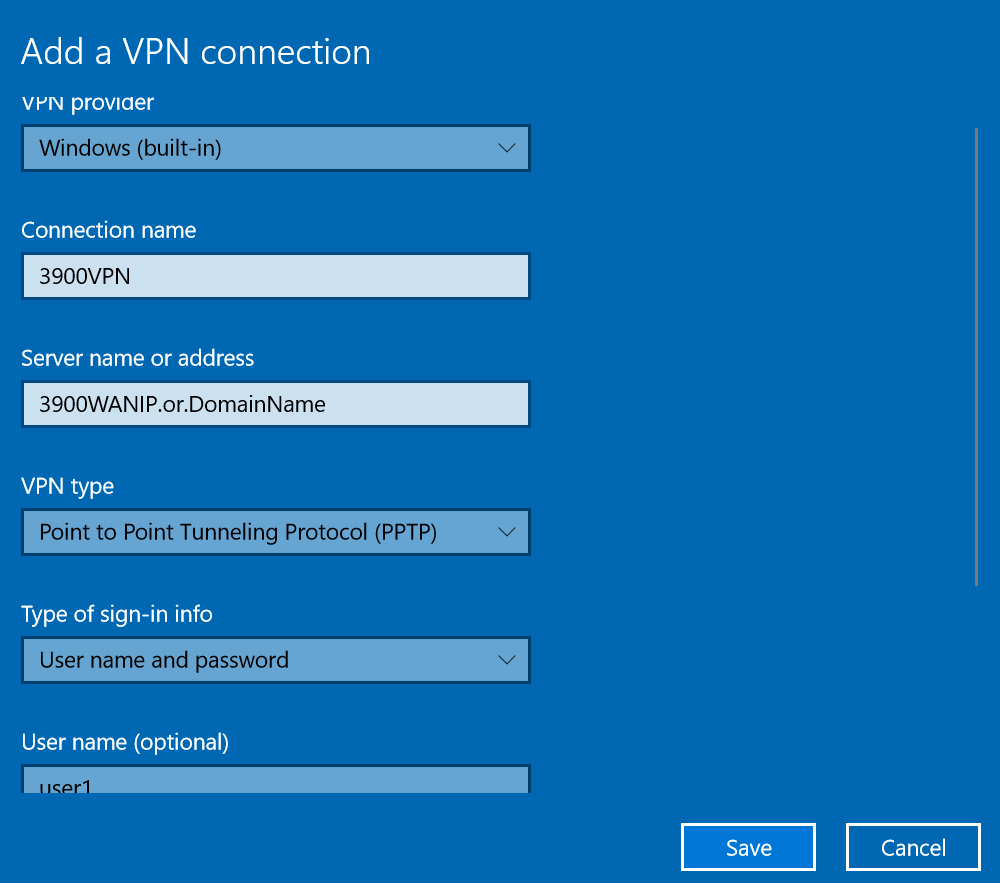
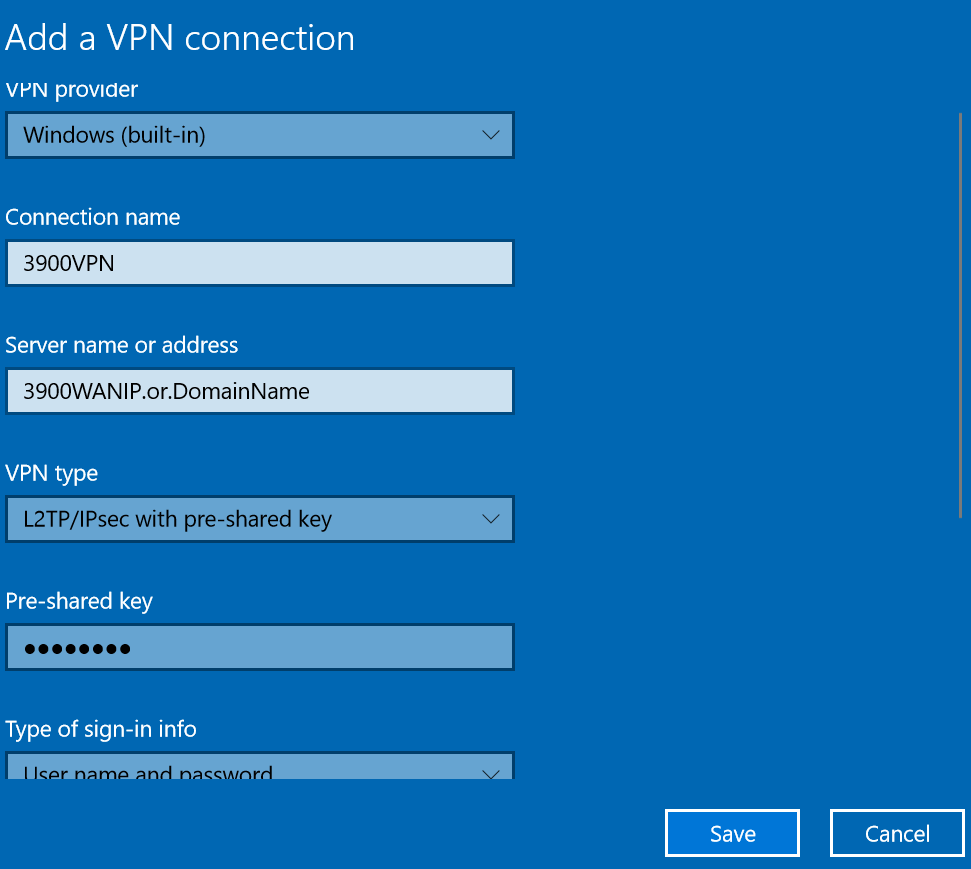
2. Enter WAN IP or domain name of Vigor3900
3. Select PPTP/L2TP over IPsec as VPN type
4. Enter Username, Password and Pre-shared key(for L2TP over IPsec) then save it
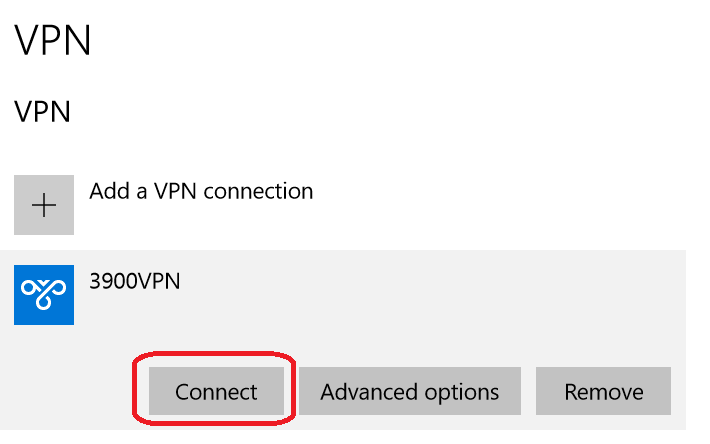
5. Click Connect to start VPN connection
Then check the status after VPN is connected
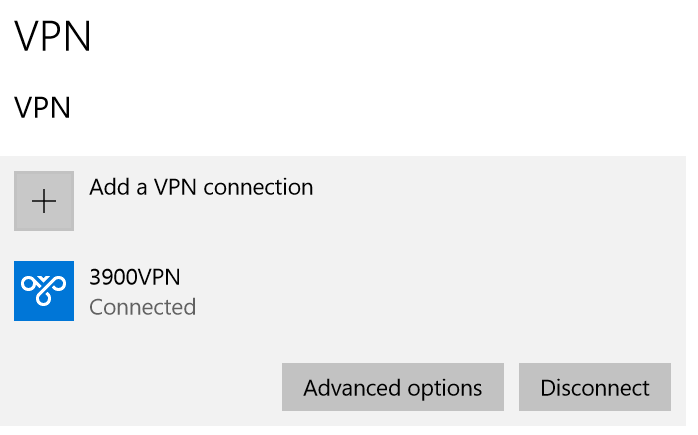
Như vậy là đã thành công, cảm ơn các bạn đã theo dõi
| Bộ phận: Phòng Chăm sóc khách hàng | |
| Điện thoại | 0908 554 558 |
| info@phatthanhdat.com | |
| skype | luuhongphuc |
| viber | 0908554558 |
| Zalo | 0908554558 |

Logo và tên gọi Phát Thành Đạt Tên gọi: Phát Thành Đạt phát âm là [Phát - Thành - Đạt ], đây là cách đọc riêng, không phải là cách phát âm chuẩn của tiếng Anh. Ý nghĩa: Phát Thành Đạt là từ ghép từ chữ Phát Triển và Thành Đạt. Sở dĩ có tên gọi này là vì mong muốn cho mọi điều phát...
Phòng Chăm sóc khách hàng
Phòng Kỹ thuật
 Tạo nút liên hệ đẹp mà nhẹ không dùng JS cho WordPress
 Active license Windows server 2019 mọi phiên bản không sử dụng file crack – không virus – thành công 100%
 100 WEBSITE ĐẶT BACKLINK MIỄN PHÍ CHẤT LƯỢNG
 Office 2021 Full Crack, 5 cách active chuẩn thành công 1000%
 Hướng dẫn crack Camtasia Studio 9.x thành công 100%
 Tải ISO Windows 10 22H2 19045 4651 07/2024 Gốc Microsoft
 Active license Windows server 2016 mọi phiên bản không sử dụng file crack – không virus – active 100% thành công
 Download Office 2021 Full Crack
 Phân quyền user domain Window có Full quyền
Tải ISO Windows 10 22H2 19045 4651 07/2024 Gốc Microsoft
Phân quyền user domain Window có Full quyền
Tải ISO Windows 10 22H2 19045 4651 07/2024 Gốc Microsoft